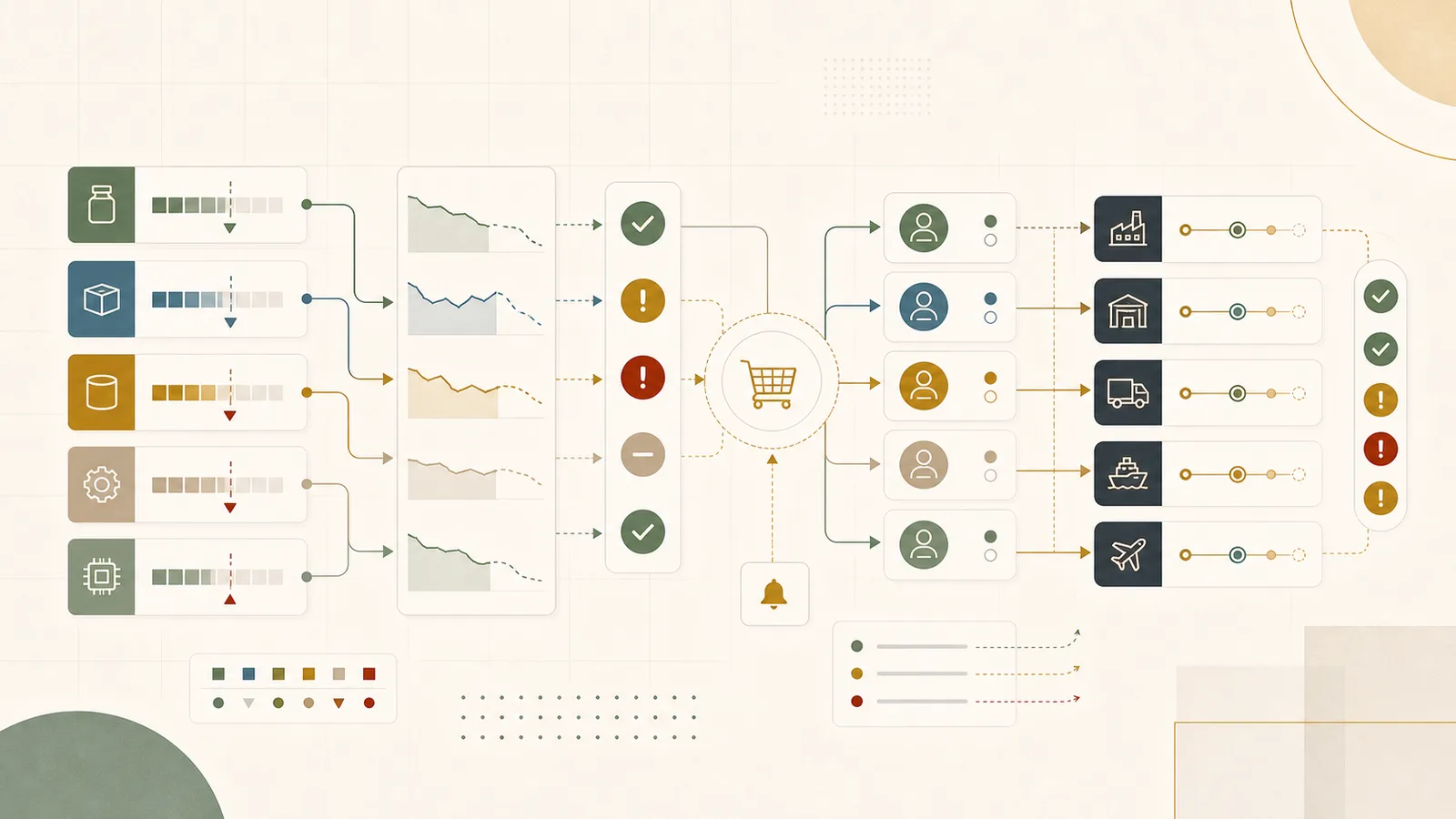
The stockout you remember is never the one you saw coming. It is the SKU that was fine on Friday, fine on Monday morning, and then three big orders landed by Tuesday and the shelf was empty by Wednesday. Meanwhile the warehouse is full. Full of the wrong things: slow movers you bought in a panic last quarter, a container that arrived early against a forecast that never showed up, safety stock on items nobody is asking for.
That is the real shape of an inventory problem. You are short and long at the same time, and both cost money. The short costs you a sale, an expedite fee, an unhappy customer, maybe a chargeback. The long costs you cash, warehouse space, and eventually a markdown. The frustrating part is that the information needed to prevent both was somewhere in your systems the whole time. It just was not in front of the person who could act on it while there was still time to act.
This guide is for the planner, inventory manager, supply chain lead, ecommerce operator, or founder who keeps having the same conversation: why did we run out of that, why are we sitting on this, and why did nobody flag it a week ago. You probably already have an ERP, a WMS, a demand plan, and a purchasing process. The gap is usually not a missing system. It is that reorder decisions still depend on manual exports and judgment held in a few people's heads, and that judgment does not scale past a few hundred active SKUs.
Reorder visibility is not an inventory dashboard
It is tempting to describe this as a dashboard problem, because a dashboard is the thing everyone can point at. But a stock-level chart tells you what happened. It does not tell you what to do about the item that is about to go short, or who should decide, or whether the right move is to expedite, substitute, transfer, or just let it run down.
The useful version is a working view that turns stock, demand, open purchase orders, lead times, and supplier status into a short list of items that need a decision this week, each one carrying the reason it is on the list and the person who owns the call. The report is the easy part. The hard part is the chain underneath it: the definitions, the sources, the owners, and the follow-through that make the list worth trusting.
A quick test: after your next reorder review, ask whether anyone changed a decision because of what they saw. If the meeting only confirmed what the two most experienced people already knew, the visibility is not doing its job yet. It is still living in their heads, and the day they are on holiday is the day something slips.
The signals never arrive as one clean alert
If reorder problems announced themselves with a single red flag, this would be easy. They do not. A stockout is usually the end of a chain of small, quiet signals that each looked survivable on its own.
Demand ticked up for three weeks but stayed under the threshold that would have caught anyone's attention. A purchase order that was supposed to land on the 10th quietly moved to the 24th. A supplier confirmed the order but not the date. A batch got held in quality inspection and never showed as available. Sales promised a key account priority on an item that two other channels were also counting on. None of these is a crisis by itself. Together they are the stockout you did not see coming.
The job of the workflow is to catch that chain early, while there is still a cheap move available. An expedite booked ten days out is a phone call. The same expedite booked two days out is air freight and an apology.
Walk your current reorder process before you change it
Before adding any tool, map how a reorder decision actually gets made today. Not the version in the procedure document. The real one.
In most businesses it runs something like this. Someone pulls an inventory report, usually a spreadsheet export, on a Monday. They eyeball the low-stock rows and highlight a few. Someone else checks which of those already have open purchase orders coming. A third person asks sales whether the recent demand is real or a one-off. Someone in purchasing checks with the supplier on timing. The group meets, talks it through, and agrees on a handful of actions. Somebody places the orders. And then the decisions mostly evaporate, because they lived in a meeting and a chat thread, not anywhere the next review can see.
The conversation itself is usually good. The people are experienced and the calls are reasonable. The problem is everything around the conversation. The data was already a few days stale by the time anyone looked. The reasoning is not written down, so next week starts from a blank spreadsheet again. And the two views that matter most, service risk and cash, are held by different people who rarely reconcile them in the same room.
Get specific about what "in stock" actually means
Most reorder mistakes trace back to a stock number that was technically correct and practically useless. The system says you have 400 units. You do not have 400 units to sell. You have 400 units in some mix of states, and only part of that mix can actually cover the next order.
Before you build any queue, agree on what each stock state means and which ones count as available. This sounds like bookkeeping. It is the difference between a reorder flag you can trust and one that cries wolf.
| Stock state | What it means | Why it changes the reorder call |
|---|---|---|
| Available | On hand, unallocated, sellable today. | The only number that should drive whether you can cover demand this week. |
| Allocated | On hand but already committed to an order. | Counts as gone. Treating it as available is the classic phantom-stock stockout. |
| Blocked or on hold | In quality inspection, damaged, or quarantined. | Physically present, cannot ship. Often invisible in a plain stock export. |
| In transit | On a purchase order or transfer, not yet received. | Coverage, but only if the arrival date is real. A slipped date turns this into a shortage. |
| Substitute or alternate | A different SKU that can fill the same demand. | Can defer a reorder, but only if someone confirms the substitution is acceptable to the customer. |
Once these are explicit, a lot of false alarms disappear and a lot of real ones surface. An item that looks healthy on total stock can be one held batch away from a shortage. An item that looks short might have a transfer arriving Thursday. The state matters more than the total.
The minimum version is a reorder queue that carries its reasons
You do not need a forecasting engine to start. You need a short, current list of the items that need a decision, and for each one, enough context that the person who owns the call can make it in a minute instead of an afternoon.
A workable reorder queue gives each item a reason it is flagged, an urgency, the evidence behind the flag, a suggested action, and an owner. The suggested action is a prompt, not an instruction. Expedite, substitute, transfer, allocate to a priority channel, hold, cancel an inbound order, or do nothing are all valid outcomes, and which one is right depends on judgment the list is there to support, not replace.
Example: what a reorder queue looks like
| Item | Why it is flagged | Evidence | Suggested action | Owner |
|---|---|---|---|---|
| A-17, fast mover | Demand spike | Open orders this week exceed available stock; no inbound PO before the weekend | Expedite the open PO or allocate to the priority channel | Planner |
| B-42, core part | Supplier date slip | Confirmed delivery moved from the 10th to the 24th, past the coverage point | Check the substitute; flag the at-risk customer order | Purchasing |
| C-08, seasonal line | Overstock risk | Forecast revised down, but a full container is still inbound | Hold, reduce, or transfer before receipt | Planning and finance |
| D-91, slow mover | Data gap | Flagged short, but 300 units sit in blocked stock awaiting inspection | Release inspection before reordering anything | Warehouse |
Notice that only two of those four are actually about buying more. One is a customer-communication problem, and one is a data problem wearing a stockout costume. A queue that cannot tell those apart just generates noise, and a noisy queue gets ignored within a month.
Separate real demand risk from noise
The single most valuable thing a reorder queue does is sort genuine shortage risk from the four things that impersonate it: a data gap, blocked stock, an MOQ or pack-size constraint, and a supplier-timing problem. Each of those needs a different response, and lumping them together is why teams either overreact and overbuy or tune the alerts out entirely.
A data gap means the number is wrong, so fix the number before you touch a purchase order. Blocked stock means the units exist but are stuck, so the action is to release them, not to buy duplicates. An MOQ constraint means you cannot order the small quantity you actually need, so the decision is about carrying cost, not availability. A supplier-timing problem means the stock is coming but late, so the real question is how to bridge the gap: expedite, substitute, or set customer expectations. Only what is left after you strip those out is a true reorder decision.
The data and systems to connect
Reorder visibility does not require perfect data or a single source of truth. It requires enough connected, trustworthy evidence to make a better call this week than you made last week. The work is less about integration for its own sake and more about deciding which source is authoritative for which question.
| Question | Data needed | Likely source | Owner |
|---|---|---|---|
| What can we actually ship? | On hand, allocated, blocked, and in transit, by location and batch | WMS, ERP inventory | Warehouse and inventory |
| What are we likely to sell? | Open orders, recent demand, forecast, channel priority, key-account commitments | Order system, ecommerce, CRM, demand plan | Planning and sales ops |
| What is really coming, and when? | Open POs, confirmed dates, lead times, MOQs, supplier confirmations | Procurement, supplier portals, email confirmations | Purchasing |
| What does it cost to be wrong? | Unit cost, margin, working-capital pressure, markdown and write-off risk | Finance, ERP costing | Finance |
You will not wire all of this up at once, and you should not try. Start with the two questions that hurt most, usually what you can ship and what is really coming, because that pair alone catches a surprising share of preventable stockouts.
Lead time is an input, not a constant
The quiet assumption behind most reorder points is that lead time is a fixed number sitting in a field somewhere. It is not. It is a promise a supplier made, and promises drift. A supplier who reliably shipped in 21 days last year may be running at 34 this quarter and not telling anyone until you ask.
If your reorder points use a lead time nobody has checked against reality in six months, they are quietly wrong for exactly the items where being wrong is most expensive. Tracking the gap between promised and actual delivery per supplier, even roughly, is one of the highest-return things you can add. It turns "the PO is confirmed" into "the PO is confirmed, and this supplier has been eight days late on average since spring," which is a completely different input to a reorder decision.
Reconcile the service view and the cash view
Two people usually look at the same inventory and see opposite problems. Operations sees service risk and wants more buffer. Finance sees cash tied up in stock and wants less. Both are right, and when they never meet in the same view, the business swings between them: a stockout scare triggers an overbuy, the overbuy triggers a cash squeeze, the cash squeeze triggers a buying freeze, and the freeze sets up the next stockout.
A good reorder queue puts both views on the same item. It shows the service risk of not ordering and the working-capital cost of ordering, so the tradeoff is a decision someone makes on purpose rather than an argument that gets re-litigated every month. You are not trying to remove the tension. You are trying to make it visible on the item where it actually applies, so the call is deliberate.
A worked example
Say a parts distributor carries 6,000 active SKUs across two warehouses and sells through a trade counter, a webshop, and a handful of contract accounts. This is an illustrative scenario, not a real company, but the mechanics are typical.
Today, a planner exports the ERP stock report every Monday, sorts by a reorder-point column, and works down the list. The reorder points were set two years ago. Roughly a fifth of the flagged items are false alarms, because the export counts allocated and blocked stock as if it were available. Meanwhile, the items that actually go short are often not on the list at all, because demand crept up faster than the static reorder point knew about.
The first useful move is not new software. It is narrowing the number that drives the list to available stock only, and pulling in the two questions that matter next: what is inbound and when, and what demand is committed this week. That change alone splits the Monday list into three piles that used to be one. Items that are genuinely short and need action. Items that only looked short because of allocated or blocked stock. And items where the fix is chasing a supplier date rather than placing a new order.
Within a few weeks, the planner is not working a 200-row spreadsheet. They are working a 15-item queue where each row already says why it is flagged and what the likely move is, and the trade counter and contract-account owners can see the same list before it becomes an emergency. The point of the example is not the numbers, which are invented. It is the shape of the change: the same data, reorganized around the decision instead of the report.
Where AI helps, and where it must not decide
AI is genuinely useful inside this workflow, as long as it stays on the right side of a clear line. It can read the noise a person does not have time to read: supplier emails buried in an inbox, comment fields on purchase orders, the free-text note where someone wrote "supplier says two weeks late" three days ago and nobody surfaced it.
The safe, useful jobs are summarizing why an item landed on the queue by pulling together the stock, demand, PO, and supplier context; classifying the reason a flag exists, so a demand spike is not confused with a supplier slip or a data gap; drafting the supplier follow-up, the internal decision note, or the caveat to a customer whose order is at risk; and spotting patterns worth a process fix, like a supplier that is chronically late or a product whose master data is always wrong.
The line is firm on the other side. AI can flag, estimate, and draft. It does not place the order, commit to a customer, or override inventory policy. A reorder commitment spends real cash and a customer promise puts your reputation on the line, and both of those stay a person's call. The value is getting the human to the decision faster and better informed, not removing the human from the decision.
The failure modes that keep you reactive
A handful of predictable traps keep reorder visibility stuck at the spreadsheet stage.
The first is starting with the dashboard. A polished stock dashboard built on numbers that mix available, allocated, and blocked stock just makes the confusion look official. Definitions first, visuals later.
The second is trusting stale reorder points and lead times. A reorder point set once and never revisited is a decision made by whoever set it, on data that has since changed, applied to items they were not thinking about.
The third is a queue with no owner per item. If a flag does not name who acts on it, it becomes everyone's problem, which means it is nobody's, and it sits there until it becomes an expedite.
The fourth is treating every flag as a buy signal. When the list cannot separate a real shortage from blocked stock or a data gap, people either overbuy to be safe or stop believing the list. Both are worse than no list.
The fifth is losing the decision after the meeting. If this week's calls do not carry into next week's queue, the team keeps rediscovering the same items and re-arguing the same points, and the work never compounds.
The sixth is adding automation before the reasons are trustworthy. Auto-reordering on top of unreliable available-stock and lead-time data does not remove the manual work. It moves it downstream, to the person cleaning up the orders it placed wrongly.
A sequence for the first few weeks
If today's process is messy, do not try to connect everything at once. Pick one product group, one channel, or one site that matters, and build the narrow version there first.
| Stage | Focus | What exists by the end |
|---|---|---|
| Week 1 | Define the queue on one product group | An available-stock definition everyone agrees on, and a reorder queue with reason, urgency, evidence, suggested action, and owner per item |
| Weeks 2 to 3 | Connect the minimum data to keep it current | Stock, demand, open POs, and supplier timing feeding the queue; promised-versus-actual lead time tracked for the main suppliers |
| Week 4 | Run real decisions from the queue | Planning, purchasing, warehouse, finance, and the sales side making reorder calls from one shared list, with decisions carried into the next cycle |
At the end of the first month, the test is simple. Keep going if the queue is making stockout, overstock, expedite, transfer, and substitution calls clearer and earlier than the old spreadsheet did. Stop or narrow it if the team still does not trust the underlying stock and supplier data, because visibility built on numbers people do not believe just relocates the argument.
How Ubisar would implement this workflow
In week one, Ubisar would pick one product group, channel, or site and define the reorder queue for it: available stock, committed demand, open POs, supplier timing, the lead-time rule, any MOQ constraint, margin context, channel priority, the reason each item is flagged, its owner, and the decision taken. The first thing on the table would be a working queue that shows which items need action and why.
In weeks two and three, we would connect the minimum inventory, WMS, order, ecommerce, CRM, forecast, procurement, supplier, and finance data needed to keep that queue current, and start tracking promised-versus-actual lead time on the suppliers that matter most. AI would help summarize why an item is at risk, sort demand spikes from supplier slips and data gaps, draft the follow-up notes, and surface repeat offenders in master data or lead time. It would not place orders or override policy. Reorder commitments and customer promises stay with your team.
By week four, planning, buying, warehouse, finance, and the customer-facing side should be able to run real reorder decisions from the queue instead of a stale Monday export. Ubisar builds this through the AI, Data & Tech Implementation service, one workflow at a time, starting from $4,000/month, month-to-month, cancel anytime. If you want to size the manual time and rework tied to your current reorder process, the manual work cost guide is a quick place to start, and you can bring the specific workflow to us through our contact page.
Useful next links
Reorder visibility usually sits underneath a few other logistics workflows. If it connects to a bigger problem for you, these go deeper:
- The supply chain exception reporting guide, when reorder risk needs to become part of a daily exception list rather than a weekly review.
- The supplier scorecard and OTIF guide, when late and unreliable suppliers are the real driver of your stockouts.
- The warehouse pick-pack handoff guide, when the stock the system shows and the stock the floor can actually pick keep disagreeing.