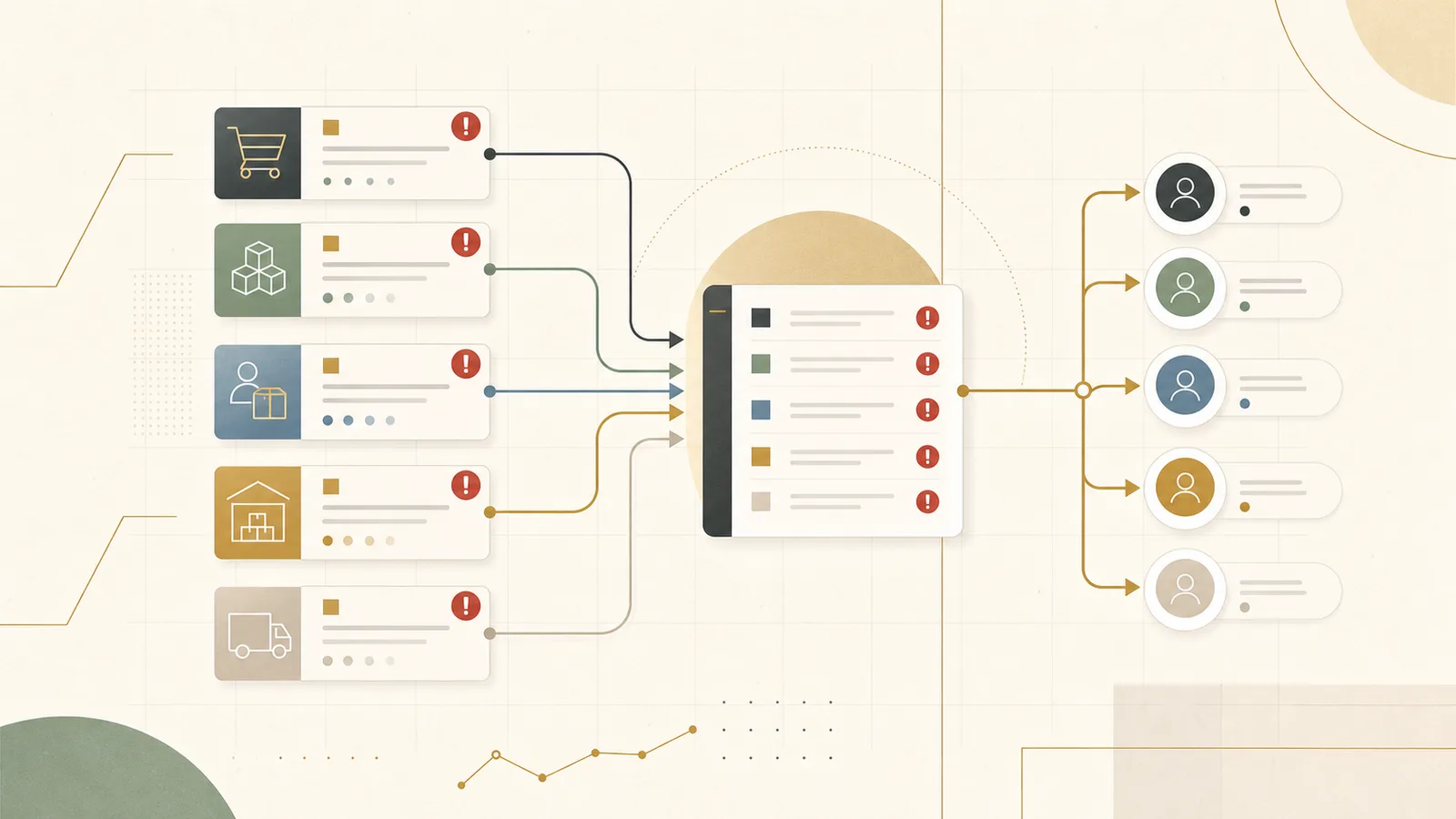
You usually find out the shipment is late from the customer, not from a report. The container missed its vessel three days ago, the delay sat in the carrier portal the whole time, and the first anyone inside the business hears of it is an email from the account asking where their order is. Now it is a service problem and a trust problem, when on Monday it was still just a planning decision someone could have made. For the wider sector view, start with Ubisar's logistics and supply chain workflows.
Supply chain exception reporting is supposed to prevent exactly that. It works when it becomes a daily habit that shows what is late, short, blocked, missing, or at risk while there is still time to act. It stops working the moment it turns into another report people open after the damage is already visible. This guide is written for the person who owns that gap: a COO, supply chain director, logistics lead, inventory owner, or founder who is tired of learning about service risk through escalations.
Most teams in this position already have plenty of data. They have an ERP, a warehouse system, carrier portals, supplier emails, and a stack of spreadsheet tabs. The pain is not a shortage of numbers. The pain is that exceptions are not defined, ranked, or owned cleanly, so they scatter across screens and inboxes until one of them reaches a customer.
What an exception report is actually for
Before choosing types, severity, or tooling, it helps to be honest about the job. An exception report exists to answer four questions early enough to matter: what changed, who owns it, what customer or margin risk it creates, and what should happen next. If a view cannot answer those four for every line, it is a status board, not an exception report.
That framing already rules a few things out. It is not a dashboard of every KPI, because most metrics do not need a decision today. It is not a shared inbox, because an inbox has no owner, no ranking, and no notion of closed. It is a short, trusted list of the things that need someone to move, with enough context attached that the person can move without re-investigating from scratch.
The bar for "useful" is narrow enough that a lead will actually open it every morning, and broad enough that the exceptions which really break service are all in one place. Get that balance wrong in either direction and the report gets abandoned inside a month.
Follow one exception from signal to closure
It is worth tracing how the work moves today, in the honest version rather than the process-document version. In many teams, exception reporting starts as a weekly spreadsheet. Someone exports open orders from the ERP, pulls stock from the warehouse system, scans supplier emails, copies a few carrier updates, and asks customer service which accounts matter most this week. By the time the sheet is ready, half of it is stale and the team is arguing about which version is current.
The deeper problem is that no single person sees the combined risk. A planner sees the stockout. A warehouse lead sees the hold. A buyer sees the supplier slip. Customer service sees the angry account. Each of them is looking at one true fact, and none of them is looking at the service exposure those facts add up to. So the exception that should have been caught on Monday gets discovered on Thursday, by the customer.
Most of what goes wrong lives in the handoffs. A signal leaves its source system, loses context, gets pasted somewhere else, picks up a comment two days later, and then gets discussed by people who cannot tell how much checking happened underneath. Fixing the report means fixing those handoffs, and that starts with agreeing what even counts as an exception.
Start by defining what counts as an exception
This is the part teams skip, and it is why most exception reports drift into noise. An exception is a deviation from an expected state that needs a decision or an action. That is a higher bar than "something looks unusual." A number being red is not automatically an exception. A supplier email that moves a delivery past the dock cutoff is, because someone now has to decide what happens to the orders behind it.
The practical move is to name a small set of exception types and write a plain trigger rule for each one. The rule matters more than the label. If the trigger is written down, the same situation gets flagged the same way whether the planner, the buyer, or the AI is looking at it. If the trigger lives in someone's head, your trend data is noise and your list is a matter of opinion.
| Exception type | The signal that raises it | Default owner | What "resolved" means |
|---|---|---|---|
| Late inbound delivery | Supplier confirmation or carrier milestone moves the arrival past the dock cutoff or the planned receipt date | Procurement | Recovery date confirmed and every affected order re-checked and updated |
| Priority order at risk | Pick short, stockout, or hold against an order with a customer promise attached | Planning | Substitute, transfer, or allocation decided, and the customer commitment re-set if it changed |
| Freight or carrier delay | Carrier misses an appointment window or a booked milestone slips | Logistics | New arrival known, internal escalation raised, and any customer caveat approved and sent |
| Missing or blocked document | A required customs, origin, or delivery document is missing, expired, or rejected | Trade or logistics | Document sourced or corrected, and the shipment cleared to move |
| Warehouse hold | Quality, damage, or putaway flag stops stock from being available to promise | Warehouse | Hold cleared or the stock formally written off the available position |
| Inventory mismatch | System availability and physical or warehouse-system availability disagree by more than the agreed tolerance | Inventory | Count reconciled and the source-of-truth position corrected |
A quick test for a good definition
For each type, ask whether two different people, handed the same raw signal, would raise the same exception without a conversation. If the answer is no, the trigger rule is still too vague to build on. Tighten the rule before you touch a dashboard, because everything downstream, severity, ownership, trend reporting, and AI classification, inherits the ambiguity you leave here.
Give every exception a severity that means something
Once types are clear, severity is what turns a long list into a working queue. Without it, every exception looks equally urgent, which means none of them do, and the team spends the morning triaging instead of acting. Severity should map to customer, margin, and compliance exposure, not to how loud the person who raised it happens to be.
Three tiers is usually enough. More than that and people stop trusting the boundaries; fewer and everything collapses into "urgent." The point of the tiers is to decide who gets pulled in and how fast, so keep the definitions concrete.
| Severity | What puts an exception here | Who gets pulled in | Expected response |
|---|---|---|---|
| S1 | A top account's promised order will miss, a regulated or perishable shipment is blocked, or the margin exposure is large | Named owner plus a manager or the on-call escalation contact | Acted on and escalated the same day, with a customer decision made deliberately |
| S2 | Recoverable with action today, real customer or cost impact if it is ignored, but no breach yet | The default owner for that type | Owned and moved before the next daily review |
| S3 | A visible deviation with no customer or margin impact yet, worth watching in case it worsens or repeats | The default owner, at their own pace | Logged and monitored; promoted only if it grows |
Say an importer moving about 60 containers a month through two ports, selling to a few hundred retail and wholesale accounts, to make this concrete. A one day carrier delay on stock heading to the distribution center, with three weeks of cover on the shelf, is an S3: log it and watch. The same delay on a container carrying a promoted line for a major retailer's weekend reset is an S1, because the promise and the penalty are real. Same raw signal, different severity, because severity reads the customer and margin context, not just the delay. These figures are illustrative; the tiers are what carry over to a real operation.
Every exception needs one clear owner
An owner is the single person accountable for moving an exception to closure. Not the person who spotted it, and not a team name. "Procurement" cannot chase a recovery date; a named buyer can. The fastest way to kill an exception report is to let ownership stay implied in a comment thread, because a line with no owner is a line nobody moves.
The cleanest approach is a default owner per exception type, which is why the definition table names one for each. Defaults resolve ninety percent of cases instantly and leave the queue only arguing about the genuine edge cases. When an exception does need to change hands, the handoff should carry a short note of what has been done so far, so the next owner does not restart the investigation.
Hold to one rule and most of the mess resolves itself: if an exception has no owner, it is not ready to sit in the queue. Either assign it or close it. A queue full of unowned lines is just the old spreadsheet with better formatting.
The first version is one queue, not a control tower
It is tempting to try to catch everything at once, across inbound, outbound, warehouse, and freight. Resist that. The first useful version is one reliable queue for the highest-value slice of the operation, which for most teams is outbound customer orders, because that is where a missed exception turns into a lost promise fastest. Inbound deliveries, warehouse holds, or freight can be the right starting slice if that is where your service breaks first.
You are not building a full control tower in month one, and you should not pretend to. A control tower is where this can grow to; the starting point is a small number of clear exception types, a written trigger for each, a severity rule, and a named owner. Get one slice trustworthy and the team will pull the next slice in themselves, because they will have felt the difference between finding out early and finding out from a customer.
What the daily working view looks like
The queue is the artifact the team actually opens. One line per open exception, with everything needed to act sitting on the line, so nobody has to leave the view to understand what they are looking at. The columns below are the minimum that make a line workable.
| Exception | Severity | Source signal | Customer or order impact | Owner | Next action |
|---|---|---|---|---|---|
| Late inbound PO 4471 | S2 | Supplier confirmation moved 2 days past dock cutoff | Backorders two wholesale replenishment orders | Buyer (R. Nunez) | Confirm recovery date, re-check the two orders behind it |
| Priority order 90218 short | S1 | Warehouse pick short against a promoted retail line | Weekend reset for a top account at risk | Planner (M. Ito) | Decide transfer from second DC, brief account manager before noon |
| Freight booking 5583 delayed | S2 | Carrier missed the port appointment window | Three mixed orders arrive one day late | Logistics (T. Bak) | Get revised ETA, draft the customer caveat for approval |
The names and numbers above are invented to show the shape of a line, not a real operation. What carries over is the discipline: a source signal you can click back to, a plain-language impact, one owner, and a next action written as a verb someone can do today. When a line is closed, it drops off the daily view and into a closed log with a reason, which is what makes the next section possible.
Decide which system wins when records disagree
Most of the data work here is not integration, it is arbitration. A purchase order date will differ from the supplier's email. A shipment status will differ from the carrier portal. Stock will look available in one tool and blocked in another. If the queue does not know which source wins, every line turns into a debate about whose number is right, and the report loses trust fast.
So write down the source-of-truth choice for each kind of fact before connecting anything. This is a one-page decision, not a data warehouse project, and it is the single highest-leverage hour in the whole build.
| System | Authoritative for | Where it commonly clashes |
|---|---|---|
| ERP or order management | Order dates, promised dates, customer, revenue, priority | Supplier email quotes a different promised date than the PO |
| Warehouse system | Stock on hand, allocation, holds, pick and pack status, location | ERP shows stock available that the warehouse has already put on hold |
| TMS or carrier data | Milestones, appointments, delays, proof of delivery | The carrier portal is ahead of, or behind, the TMS status |
| Procurement and supplier records | PO status, confirmations, promised dates, lead times | The confirmed date and the emailed date do not match |
| CRM or service data | Account priority, escalations, service history | Which accounts count as priority is set differently by sales and by service |
Notice that account priority has a source-of-truth problem too. If sales and service disagree about which customers are top tier, your severity rules will disagree with themselves. Settle that alongside the operational sources, or the S1 tier stops meaning anything.
Run the daily review off the queue
The queue only works if there is a short daily review built around it. Ten to fifteen minutes, standing, driven by the S1 and S2 lines. The critical habit is that owners update their lines before the review, not during it. If the meeting is where people first look at their exceptions, the meeting becomes the work, and it stretches to an hour of reading aloud.
Run the review by severity, top down. S1 lines get a decision or an escalation on the spot. S2 lines get a confirmed next action and owner. S3 lines are usually skipped unless one has grown. Anything resolved since yesterday is closed with a reason and drops off, so the list stays short enough that a lengthening queue is itself a signal that something upstream is breaking.
Keep a light escalation path for the exceptions that touch key customers, margin, regulatory commitments, or a delivery promise you cannot quietly move. The path does not need to be elaborate. It needs to name who gets called and how fast, so an S1 does not sit politely in a queue waiting for the next morning.
Close the loop on recurring causes
Everything so far handles today's exceptions. What separates a report teams keep from one they abandon is what happens to yesterday's. If closed exceptions just disappear, the same fixes get rediscovered every week and the team stays stuck in firefighting. The closed log is where the report earns its keep.
The mechanism is a small, stable set of reason codes captured at closure, plus a weekly or monthly look at what the closed log is telling you. Keep the code list short and shared, because reason codes that vary by person produce trend data nobody trusts. When a pattern shows up, the team gets to make a real decision: fix the root cause, or keep treating the symptom on purpose.
In the importer example, imagine the same supplier misses the dock cutoff four weeks running, each time raising a fresh S2 and a fresh scramble. Handled line by line, that is four firefights. Read through the closed log, it is one supplier conversation or one lead-time change. The daily queue keeps service intact this week; the closed-log review is what stops the same exception from coming back next month. A report that only fights today's fires, and never asks why they keep starting, plateaus as an expensive alarm.
Tools follow the definitions, not the other way round
There is a real market for this. Supply chain visibility and control-tower platforms such as project44 and FourKites are built around exactly this pain of catching disruptions early and routing them to someone. They are useful benchmarks for where the category is going, and worth a look if you want a dedicated system. Treat them as benchmarks, not endorsements.
But whichever direction you go, from a shared spreadsheet to a form and database layer to a full platform, the tool does not decide your exception definitions, your severity rules, your owners, or your reason codes. Those are operating decisions that have to be made whether the queue lives in a spreadsheet or a six-figure platform. Buy the tool after those decisions are made, or you will spend the license configuring a system to hold arguments you never settled.
Where AI helps inside the workflow
AI is genuinely useful here, but only once the definitions and owners are stable. Point it at a vague process and it will produce confident-looking noise faster than a human could. Point it at a clear one and it removes most of the manual grind around each exception without touching the decisions.
The work AI does well is reading, sorting, summarizing, and drafting. It can classify incoming signals from supplier emails, shipment updates, and order changes into your defined exception types. It can summarize what changed since yesterday, with links back to the source, so the daily review starts from a draft rather than a blank page. It can write a first-pass internal escalation note or a customer caveat for a person to approve. And it can group repeated patterns in the closed log so the recurring-cause review has somewhere to start.
The boundary is firm, and it is a person's boundary. AI classifies, groups, and drafts. A human still decides the severity, still decides what the customer is told, and still decides what actually ships. The queue should make that boundary visible, so nobody mistakes a drafted caveat for one that has been sent.
What keeps the report from sticking
A handful of failure modes account for most abandoned exception reports, and they are worth naming so you can watch for them. The first is reporting every metric instead of the few deviations that need action. A view that shows everything hides the thing that matters, and people stop opening it.
The second is inconsistent reason codes and triggers, so trend data is untrustworthy and the same situation gets flagged differently depending on who is looking. The third is ownership that lives in comments instead of on the line, which quietly guarantees that some exceptions belong to no one. The fourth is bolting customer priority on by hand after the list is already built, which means the urgent orders and the ordinary ones look identical until it is too late.
The fifth is letting closed exceptions vanish without a reason, so the recurring-cause loop never closes and the team keeps solving the same problem. The last is reaching for AI before the definitions are settled, which just adds a new place where people have to check the work by hand. Every one of these is a definition or ownership problem wearing a tooling costume.
A sensible first month
If the current process is messy, do not try to fix all of it at once. In week 1, pick one exception scope, follow a handful of real exceptions from their first signal all the way to closure, and use what you see to write the definitions, severity rules, and owners. The first output is a short agreement on what counts, not a screen.
In weeks 2 and 3, connect only the data needed to keep that one queue current, and settle the source-of-truth choices so the queue stops arguing with itself. Add AI where it removes grind, classification and summaries first, drafting second, and leave the decisions with people. By week 4, the daily review should run off the queue instead of a spreadsheet clean-up. At the end of the first month, keep going if the queue is catching service and margin risk earlier and closing recurring causes for good; narrow it or pause if the trigger rules or ownership are still unclear. A queue built on shaky definitions is not worth automating.
How Ubisar would implement this workflow
In week 1, Ubisar would choose one exception scope with you, say at-risk customer orders or late inbound deliveries, and follow real exceptions from the first signal to closure. The first thing on the table is not a dashboard. It is a short, agreed definition of each exception type, its severity rule, its owner, and what closed actually means.
In weeks 2 and 3, we would connect only the ERP, warehouse, procurement, carrier, and service data needed to keep that queue current, and settle the source-of-truth choices so the numbers stop disagreeing. AI would classify incoming signals, summarize what changed since yesterday with links back to the source, and draft escalation notes and customer caveats for a person to approve. Severity, customer messages, and what ships stay a human call.
By week 4, the morning review should run off the queue instead of a scramble across inboxes and carrier portals, and the closed log should be starting to show which causes keep coming back. At the end of the first month, keep going if the queue is catching risk earlier and closing recurring causes for good; narrow it or stop if the source rules or ownership are still unclear. That is one focused month inside the AI, Data & Tech Implementation service, which starts from $4,000/month and runs month to month, explained on the pricing page. If you want a quick read on whether this workflow is worth building first, the workflow and data readiness guide can help, and the simplest way to start is to bring us the one exception that keeps reaching your customers before it reaches you.
Useful next links
Exception reporting sits next to several adjacent workflows, and most exceptions start in one of them. These are the natural guides to read next:
- Read the warehouse pick-pack handoff guide if many of your exceptions start in pick, pack, or order-hold work.
- Read the freight booking and document workflow guide if missing paperwork or carrier status creates most of the noise.
- Read the customer delivery ETA communication guide if the visible pain is what the customer hears about a delay.