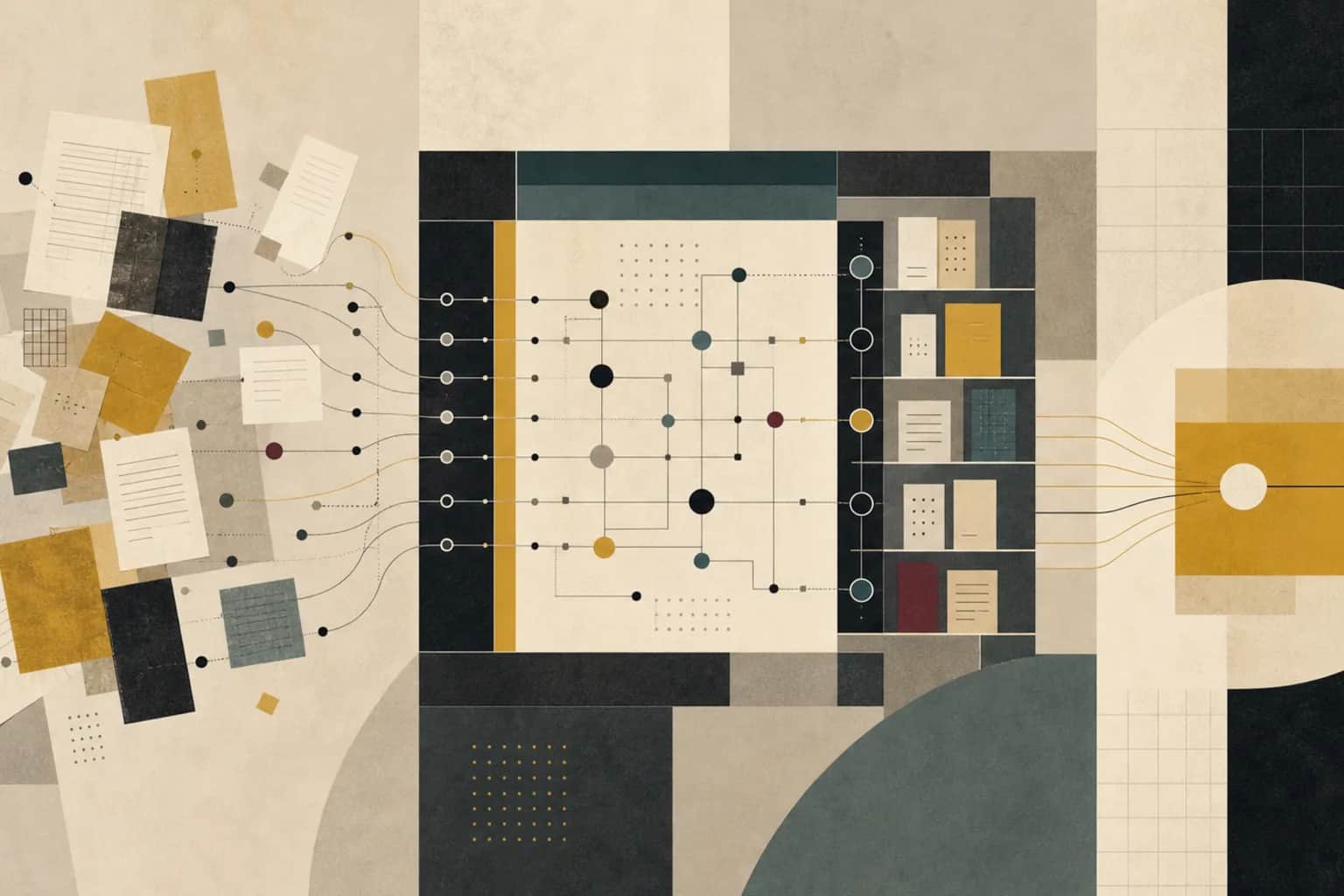
The proposal is due tomorrow morning. Somewhere in the firm, someone wrote a sharp market overview for a similar client last quarter, built a pricing model that mapped almost the same scope, and ran an analysis that would answer half of tomorrow's questions. Nobody can find it, nobody is sure it is the latest version, and nobody wants to put a client's name on a number they cannot stand behind. So the team rebuilds it from scratch, again.
This is the quiet tax on a professional services firm. The firm has already done the work. It just cannot reuse it quickly, safely, or with confidence. A better search box does not fix that. What fixes it is a workflow that turns prior work and research into material a team can trust, trace back to its source, and adapt without creating risk.
Start with the reuse moment your team already feels
The problem almost never shows up as "we need a knowledge base." It shows up as a specific, repeating moment. A proposal that restates a market view the firm already holds. A scoping call where someone half-remembers a similar engagement. A junior analyst rebuilding a benchmark that sits in a partner's old folder. A client asking a question the firm has answered before, for a different client, in slightly different words.
Pick one of those moments to fix first. It might be proposal language, scope and pricing assumptions, sector benchmarks, discovery questions, a research brief, or a delivery playbook. A firm-wide knowledge base can wait. The first version of this workflow should sit under a real revenue or delivery moment, because that is where people will actually feel the difference, and where reuse either saves real hours or it does not.
Why a better search box is not the job
It is tempting to treat this as a search problem: buy a smarter tool, point it at the shared drive, and let people find things. That helps at the edges, but it misses what makes knowledge reuse hard in a services firm.
The real questions a team asks before reusing something are not "where is the file." They are: what do we actually know about this, where did it come from, is it current or has the market moved, am I allowed to use it or is it tied to one client, and who needs to check it before it goes near a deliverable? Search returns documents. It does not answer any of that. Until it does, people keep messaging colleagues and rebuilding from memory, because rebuilding feels safer than trusting something they cannot vouch for.
So the job is not storage, and it is not search. It is turning scattered prior work into a small set of things the firm knows it can stand behind, with the source kept next to the claim and a clear rule for when a person has to look before anything is reused.
Map how knowledge actually moves through the firm
Before designing anything, follow a piece of work from the moment it is created to the moment someone tries to reuse it. In most firms it runs through project folders, research notes, the CRM, a proposal library, spreadsheets, slide decks, meeting notes, expert interviews, and the informal channels where people ask "does anyone have an example of this?"
A common version looks like this:
- Someone produces good work for a client: an analysis, a model, a research brief, a proposal section.
- It gets saved into a project folder named for that engagement, not for the knowledge it contains.
- Months later, a different team needs something similar and starts searching.
- They find three versions and cannot tell which is final, who owns it, or whether it was client-specific.
- They message the original author, who may have left, forgotten, or moved on.
- They give up and rebuild, because rebuilding is the move they can defend.
The breaks are usually small and boring: no owner, an unclear version, no short summary of what the thing is, a missing source, permissions that were never set, and no rule for retiring material that has gone stale. None of these is dramatic on its own. Together they are why the firm keeps paying to rediscover what it already knows.
Where the trail breaks
The breakpoints are predictable. They show up in different forms depending on the firm, but the pattern underneath is usually the same.
1. The best work is trapped in a client folder
Valuable material is filed by engagement, not by what it could be reused for. A strong competitor analysis lives inside "Project Atlas" and is invisible to the next team that needs exactly that analysis for a different client. The knowledge exists; the firm just cannot see it.
2. Nobody can tell what is current
Three versions of the same model sit in three folders. One was the final client version, one was a work in progress, one was adapted for a pitch that never happened. Without a marked owner and a review date, the safe assumption is that none of them can be trusted, so people start over.
3. Client-specific material gets reused as if it were generic
A team lifts a paragraph, a chart, or a benchmark from one client's work and drops it into another client's deliverable without checking whether it was confidential, licensed, or specific to that engagement. This is the risk that pushes cautious firms to lock everything down, which then makes nothing reusable at all.
4. Reuse feels riskier than rebuilding
When a professional cannot quickly confirm that a piece of work is approved, current, and safe to adapt, the rational choice is to rebuild it. Every rebuild is a small vote of no confidence in the firm's own knowledge, and it is expensive.
5. AI retrieves noise because nothing is described
Point an AI assistant at an undescribed pile of files and it will confidently surface the wrong version, the client-confidential draft, or the abandoned analysis. Without a short description, an owner, and a permission level attached to each item, a retrieval tool speeds up the wrong part of the process and adds false confidence on top.
6. Summaries quietly replace their sources
Someone writes a neat one-line summary of a finding, the summary gets copied into a new document, and three reuses later nobody can trace it back to the analysis behind it. A summary is only useful when the source is still one click away.
What a reusable knowledge record looks like
The fix for most of those breaks is small and unglamorous: a short record attached to each piece of work worth reusing. This matters more than folder structure, because the record is what tells the next person whether the material is safe to use, not where it happens to sit.
A useful record answers a handful of practical questions.
| Field | What it answers | Example |
|---|---|---|
| Title and type | What is this, in plain words? | Market sizing model, spreadsheet |
| Business use | When would a team reach for it? | Early proposal for growth-strategy work |
| Owner | Who is accountable for it? | Named partner or practice lead |
| Source | Where did it come from? | Prior engagement folder, link kept |
| Client sensitivity | Is it safe to reuse, and how? | Client-specific, reference only |
| Approved reuse level | What may a team do with it? | Adapt with partner review |
| Last reviewed | Is it still current? | Reviewed this quarter, refresh yearly |
| Summary | What does it actually say? | Two lines a colleague can trust |
The reuse level is the field that does the real work. A proposal paragraph might be approved for adaptation with partner review. A client-specific analysis might be reference only, useful for orientation but not for lifting. A regulatory research note might require a source refresh before it can be reused, because the facts underneath it move. A delivery checklist might be the current firm standard, approved as is. When those distinctions are visible on the record, people stop guessing.
Start with a minimum trusted library, not the whole archive
The first version should not try to capture every document the firm has ever produced. That is how these efforts die: someone tries to tag ten years of drives, the project stalls, and the tool becomes another place nobody looks.
Instead, build a small trusted library for the one reuse moment you chose. If the moment is proposals, that might be a handful of approved proposal sections, a discovery question set, a pricing model, and two or three sector overviews. Each item gets the short record above. The test for whether the library is working is simple: can someone find the right item, understand its limits, and adapt it, without messaging the person who made it? If yes, you have something worth growing. If no, the record is missing a field that matters.
Decide which system owns the trusted version
Most firms already have more places to store things than they need: Google Drive, SharePoint, Notion, Confluence, the CRM, a project tool, a research database, and a dozen shared inboxes. Adding another one rarely helps. The more useful question is which system owns the trusted version of a piece of knowledge, even when copies live elsewhere.
Pick one home for the record and its summary, and let the source files stay where they already are, linked back. The record is what people search and trust; the source is what they open when they need to check. What makes that searchable is a small amount of consistent description on each item: service line, sector, client type, the workflow it supports, who owns it, when it was last reviewed, and its permission level. Without that description, any search or AI tool retrieves noisy material, and the team goes back to asking colleagues for the real answer.
Keep client confidentiality inside the workflow
This is the part that cannot be an afterthought in a services firm. Client work, confidential material, licensed research, pricing, personal data, and draft advice must not quietly become open, searchable reuse material. One careless reuse of a confidential benchmark can do more damage than a hundred rebuilds.
The way through is to separate the searchable summary from the restricted source. A team can be allowed to see that a relevant analysis exists, read a short description of it, and understand that it is client-specific and reference only, without being able to open or lift the underlying file. Retrieval and drafting should work only from firm-approved sources, with a link back to the document behind every claim. And anything that goes to a client is reviewed by the person responsible for it before it leaves. That review is not bureaucracy. It is the thing that lets the firm reuse aggressively everywhere else, because the boundary is clear.
Put AI inside retrieval and review, not drafting from memory
Once the library has records, summaries, sources, and permission levels, AI becomes genuinely useful, because it finally has something reliable to work with. It can summarize a long document, suggest tags, answer a question over approved material, compare two similar analyses, draft a first research brief, and flag references that look stale. When source material is scattered, this is where a team gets its time back: instead of an hour of searching, someone gets oriented in minutes.
The discipline is that AI works from approved sources and always shows its work. Every answer needs a source link, a note on confidence, and a person who checks before anything goes near a client. AI should not turn an old client answer into new advice on its own, because it cannot see the context, the permission, or whether the underlying facts still hold. Its job is to get a professional to the right material faster and make the review easier, not to become the reviewer.
A pattern that holds up in practice: retrieve, summarize, show the source, adapt, review, then feed back what happened. That last step matters more than it looks. When a team marks which items were genuinely useful, which were stale, and which gap they wished the library had filled, the library improves on its own instead of decaying.
A worked example
Say a strategy boutique of about forty people where every new proposal rebuilds a market overview that someone almost certainly wrote in the last quarter. The scenario and the numbers here are illustrative, not a real client, but the shape will be familiar.
Today, a partner asks an analyst for a market view on specialty chemicals distribution. The analyst does not know that a nearly identical view was built eight weeks ago for a different pitch, so they spend a day and a half rebuilding it. The old version, meanwhile, sits in a folder called "Project Harbor" with no summary and no owner marked, invisible to search.
Now put the minimum library under that one moment. The firm captures its reusable proposal assets as records, each with a source link, an approved reuse level, and a reviewer. When the partner asks for the market view, the analyst searches the library, finds the eight-week-old overview described in two lines, sees that it is approved for adaptation with partner review, opens the source, updates the two figures that have moved, and sends it for the partner's check. A day and a half becomes an afternoon, and the client gets a view the firm can stand behind.
| Asset | Approved use | Source | Reviewer |
|---|---|---|---|
| Specialty chemicals market overview | Adapt with partner review | Prior pitch folder, linked | Practice lead |
| Discovery question set | Approved for reuse as is | Proposal library | Revenue owner |
| Client workshop synthesis | Reference only, do not lift | Engagement archive | Delivery lead |
| Sector benchmark figures | Refresh sources before reuse | Licensed research, linked | Research owner |
Notice that the workflow is not deciding anything on the analyst's behalf. It is making the firm's existing knowledge visible, marking what may be done with each piece, and keeping the source close enough that the human check is quick rather than a rebuild.
Where human review stays
It is worth being clear about what does not get handed to the system. A retrieval tool can show that a benchmark exists and that it was approved for adaptation. It cannot decide whether that benchmark still applies to this client's market, whether the analysis behind it survives a changed regulation, or whether a confidential figure should ever have surfaced in the first place.
Human judgment stays for deciding which sources are reliable rather than merely convenient, for reading whether a client-specific finding actually transfers, for catching material that should have stayed restricted, and for approving anything that goes out under the firm's name. A good workflow does not remove that judgment. It protects it from being buried under searching, copying, and version-checking, so the people who should be thinking are thinking instead of hunting.
Traps that keep knowledge work manual
A few mistakes make this harder than it needs to be.
Trying to capture everything at once
The instinct is to tag the whole archive before launching. It never finishes. Start with one reuse moment and a handful of records, prove it saves time, then grow.
Building a library with no owner
A knowledge library with no one accountable for it rots the same way the shared drive did. Someone has to own the records, the review dates, and the decisions about what gets retired.
Letting AI answer without showing sources
A confident summary with no link back is worse than no answer, because it looks trustworthy. If the team cannot trace a claim to the document behind it, the claim is not ready to reuse.
Confusing permission with secrecy
Locking everything down feels safe but kills reuse, and leaving everything open creates risk. The point of the permission level is to let most things be reused freely while a clear boundary protects the few that must stay restricted.
Never retiring anything
A library that only grows becomes another archive. A refresh or expiry rule on the material that ages, such as benchmarks and regulatory notes, is what keeps the library trustworthy instead of just large.
Get the manual workflow right before automating
The most common way this effort fails is reaching for the AI tool first. A retrieval assistant pointed at an undescribed pile of files will confidently return the wrong version, and the team learns to distrust it within a week.
The order that works is the reverse. First make the manual workflow real: the records exist, each asset has an owner, a source link, a permission level, and a reuse rule, and there is one review step before anything reaches a client. Only once that is stable does AI earn its place, summarizing and answering retrieval questions over material that is already described and approved. If you cannot explain the manual workflow in a sentence, you are not ready to automate it. The first version should be boring on purpose: one library, one owner, one set of records, one review step.
A sensible first 90 days
You do not need a firm-wide knowledge program to make progress. A focused first quarter is usually enough to prove the workflow.
| Period | Focus | What should exist by the end |
|---|---|---|
| First 30 days | Make one reuse moment better | Chosen moment, record format, a small trusted library, owners, permission levels, and one review step |
| Days 31 to 60 | Make it searchable and safe | One system owning the records, consistent descriptions, restricted material separated from searchable summaries |
| Days 61 to 90 | Add AI where the library is stable | Source-linked summaries, retrieval answers over approved material, and a feedback step that flags stale or missing items |
The 90-day goal is not a perfect knowledge system. It is a workflow where the team reuses fewer, better pieces of work, with a visible trail from claim to source and a clear rule for what needs a human check before it reaches a client.
How Ubisar would implement this workflow
In week 1, Ubisar would choose one reuse moment that already matters to revenue or delivery, such as proposal and pricing support for a single service line, and map how that knowledge moves today from creation to reuse. The first output would be a record for each approved asset, with its source link, reuse level, owner, reviewer, restricted material kept aside, and the moment where a team should reach for it.
In weeks 2 and 3, we would connect the minimum Drive, SharePoint, CRM, and document context needed to make that small library searchable without turning it into another archive. AI would summarize approved material, answer retrieval questions, and draft adaptation notes only from reviewed sources, with restricted items kept out of general reuse. By week 4, the team would test the workflow on a live proposal, a discovery call, or a project kickoff.
Keep going if people are reusing fewer, better assets with a visible review trail; stop or narrow it if approval status, access rules, or source quality are still unclear. This is a practical use of monthly AI, Data & Tech Implementation, fixing the process, the data, and the tools around one workflow at a time. If knowledge and research reuse is where your firm keeps losing hours, you can get in touch and we will start with a single reuse moment.
Use the related Ubisar resources
For sector context, see the professional services workflow page. To compare this with other workflows a firm runs, browse the workflow guide library. If you are still choosing which area to improve first, read how to choose the first workflow to improve with AI.
For the business case, the manual work cost guide and the implementation cost guide help you put numbers to the hours lost rebuilding work. If you are weighing a consultant, an agency, or software, read the comparison guide. To gauge where your firm stands, use the AI readiness assessment.
Sources and useful references
Useful references while you design a firm-specific version include Google Drive search guidance at support.google.com/drive/answer/2375114, Microsoft SharePoint managed metadata guidance at support.microsoft.com/en-us/office/introduction-to-managed-metadata-in-sharepoint, and NIST digital identity guidance at pages.nist.gov/800-63-4/sp800-63b.html for thinking through access and assurance. Treat them as references, not templates.